AIKTP is worth considering if turning a clear content brief into a first draft takes up too much of your blogging week. Its appeal is the workflow: keyword input, outline control, editing and website publishing tools in one service. The decision comes down to how much useful copy remains after you check it.
There is one current limitation WordPress users should know immediately. As checked on November 19, 2026, the AIKTP plugin listing on WordPress.org is temporarily closed pending review and cannot be downloaded there. If direct publishing is your main reason to subscribe, confirm the supported connection method first. You can still assess the writing workflow and move an approved article into WordPress manually.
This AIKTP review examines the public writing forms, official documentation, published pricing and current plugin listing. It does not claim a hands-on output benchmark or measured ranking improvement.
Affiliate disclosure: AIToolsBiz may earn a commission if you subscribe through links in this article, at no additional cost to you.
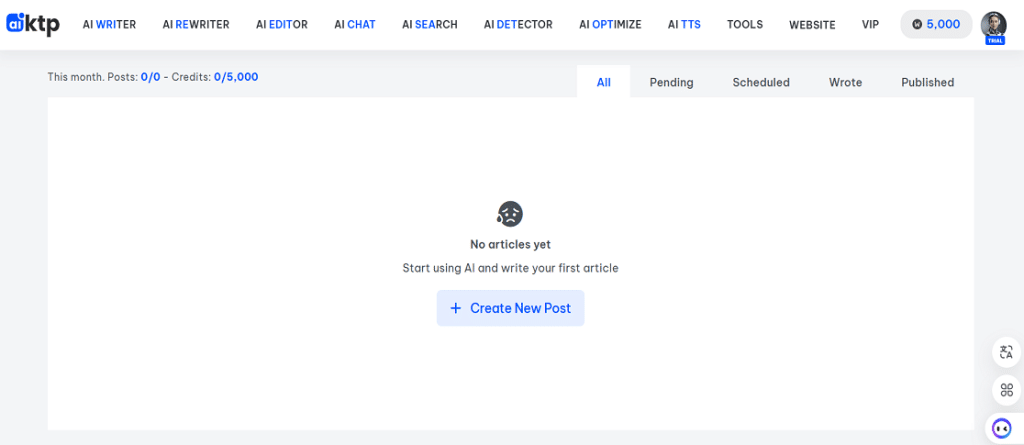
AIKTP article dashboard. Screenshot supplied on the AIToolsBiz tool page
What does AIKTP do for a WordPress blog?
AIKTP is a web-based writing service, with WordPress connection features forming part of its wider publishing workflow. You prepare topics, choose how much structure to supply and edit the resulting copy before it reaches your website. The existing AIKTP tool overview gives a shorter introduction to the product.
For a blogger, the useful question is practical: can it reduce the time between a finished brief and a draft you can edit? A small site publishing a few carefully researched articles needs a different setup from an agency handling several editorial calendars.
It is a reasonable candidate for repeatable explainers, question-led guides and articles built around information you already understand. A review that depends on using a product, an original case study or specialist advice still needs evidence supplied by the author. A writing tool cannot provide experience you have not had.
Keyword drafting: give each article a separate job
The public bulk-writing form accepts one article topic per line. Related primary and secondary terms can share a line, separated by commas. Language, tone, duplicate handling and automatic posting are separate controls. A manual-review option lets you keep generation separate from publication.
For example, “wordpress featured image size” and “blog featured image dimensions” can belong to one brief. “How to write image alt text” answers a different question and deserves its own brief. Splitting every small wording variation into a new post is likely to create repetitive content.
Before sending a batch, check what already exists on your site. If an older guide already answers the query, updating it may help readers more than adding another page. Keep a simple record of the primary query, intended reader and existing URL for each topic.
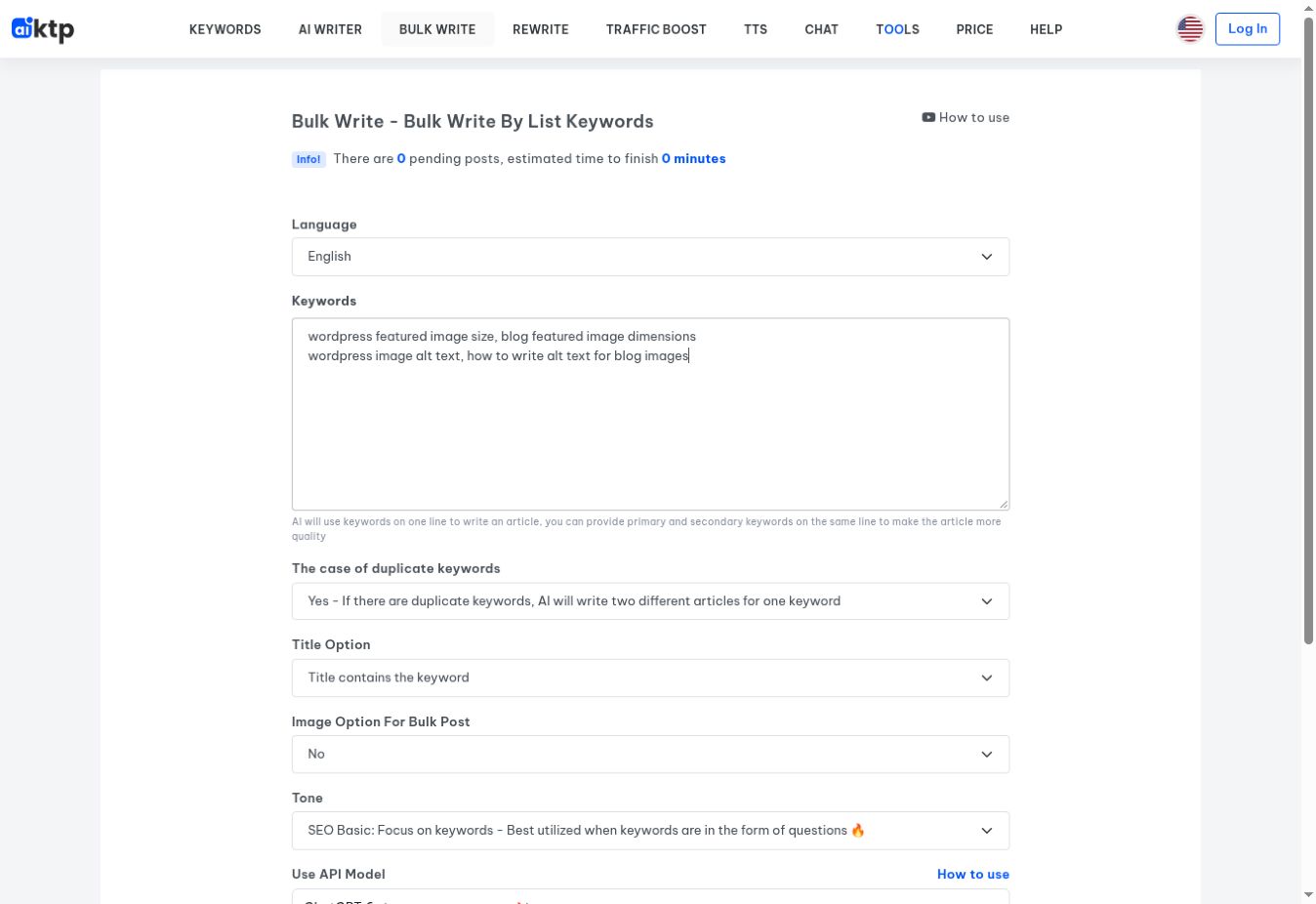
Example brief input: related terms share one line; separate questions use separate lines. No generation was submitted
Supply a brief that a human editor could follow
“Write about WordPress images” leaves too much undecided. A better brief identifies the reader, the problem and the evidence you can provide: a beginner using a specific theme, an awkward crop on blog cards, and screenshots showing where the display changes.
State the answer the reader should leave with. In this example, that means checking the theme’s image ratio and testing the actual layout, rather than treating one image size as correct for every website. List any claims the draft must avoid, such as invented performance results or universal compatibility.
Outline control is more useful than extra word count
AIKTP also offers an outline-based form. Its visible input format uses [kw] for the keyword, [h1] for the title and [h2] for section headings, with an optional description field. This gives you a way to decide the order of the article before drafting begins.
A strong outline follows the reader’s task. For the featured-image example, start with the theme’s ratio, move to choosing dimensions, then cover compression, alt text and the final preview. A long opening about the history of WordPress adds little to that task.
Remove sections that repeat the same answer. Add a troubleshooting section only when there is a real problem to solve. The article should be long enough to explain the decision and its exceptions; a target word count should not force extra headings into a simple guide.
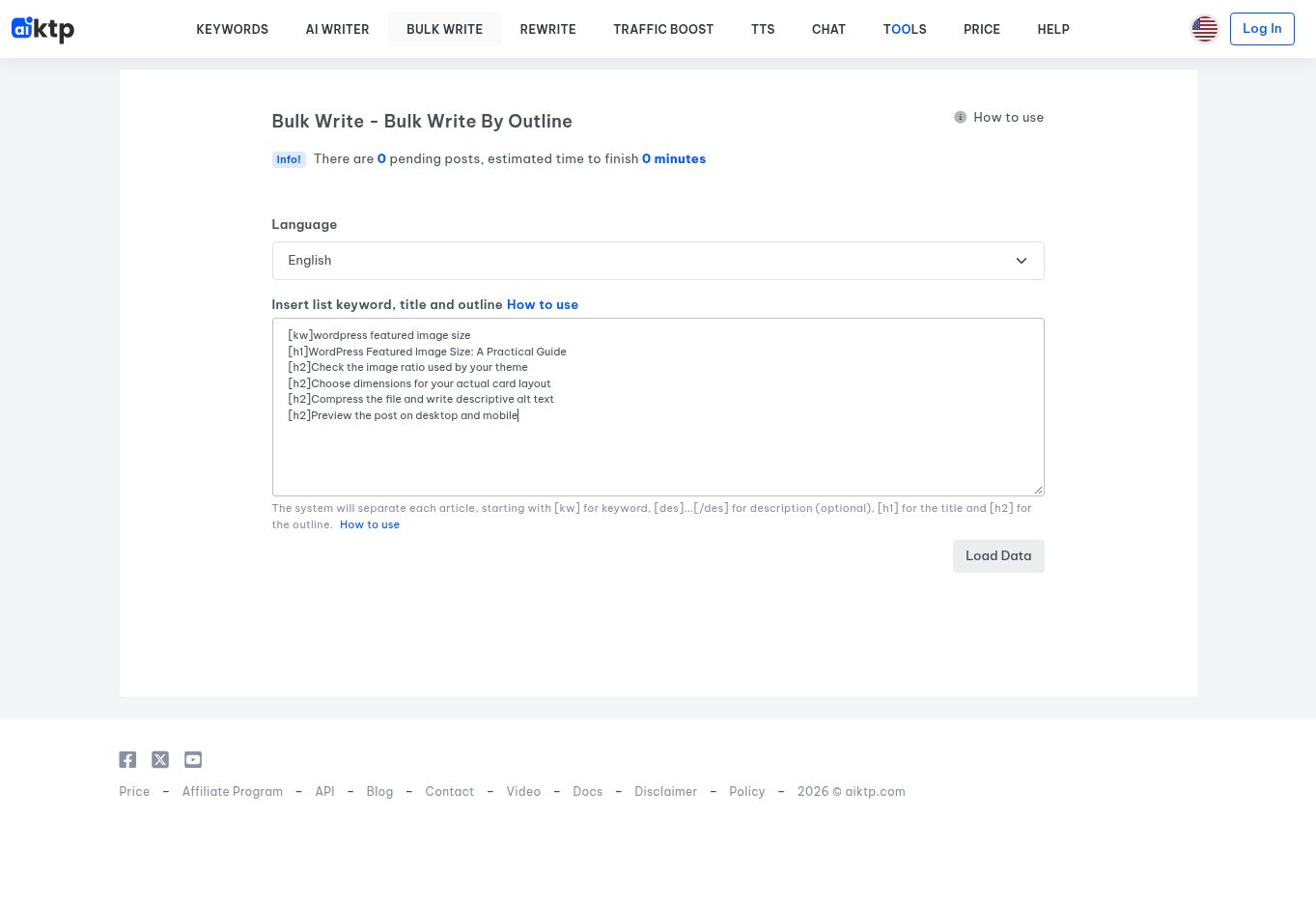
An outline example prepared in the public form, before submitting a writing job
Editing is where the article becomes worth publishing
The documented editor supports changes to the draft and a contextual toolbar for actions such as rewriting text, finding media and expanding a passage. Those controls are useful for revising a weak section without asking for an entirely new article.
Start by checking the answer, not the wording. Does the opening resolve the question? Are instructions in the order someone would actually follow? Does the recommendation still make sense when the reader has a different theme, budget or level of experience?
Then verify names, prices, dates, software settings and links against reliable sources. Remove any sentence that implies you tested something when you have not. Replace broad claims such as “improves performance” with the precise observation or measurement you can support.
The final pass is about voice. Cut repeated conclusions, unnecessary introductions and phrases that could fit any product. Add your own screenshots, relevant examples and reasons for choosing one option over another. These are the parts readers cannot get from a generic summary.
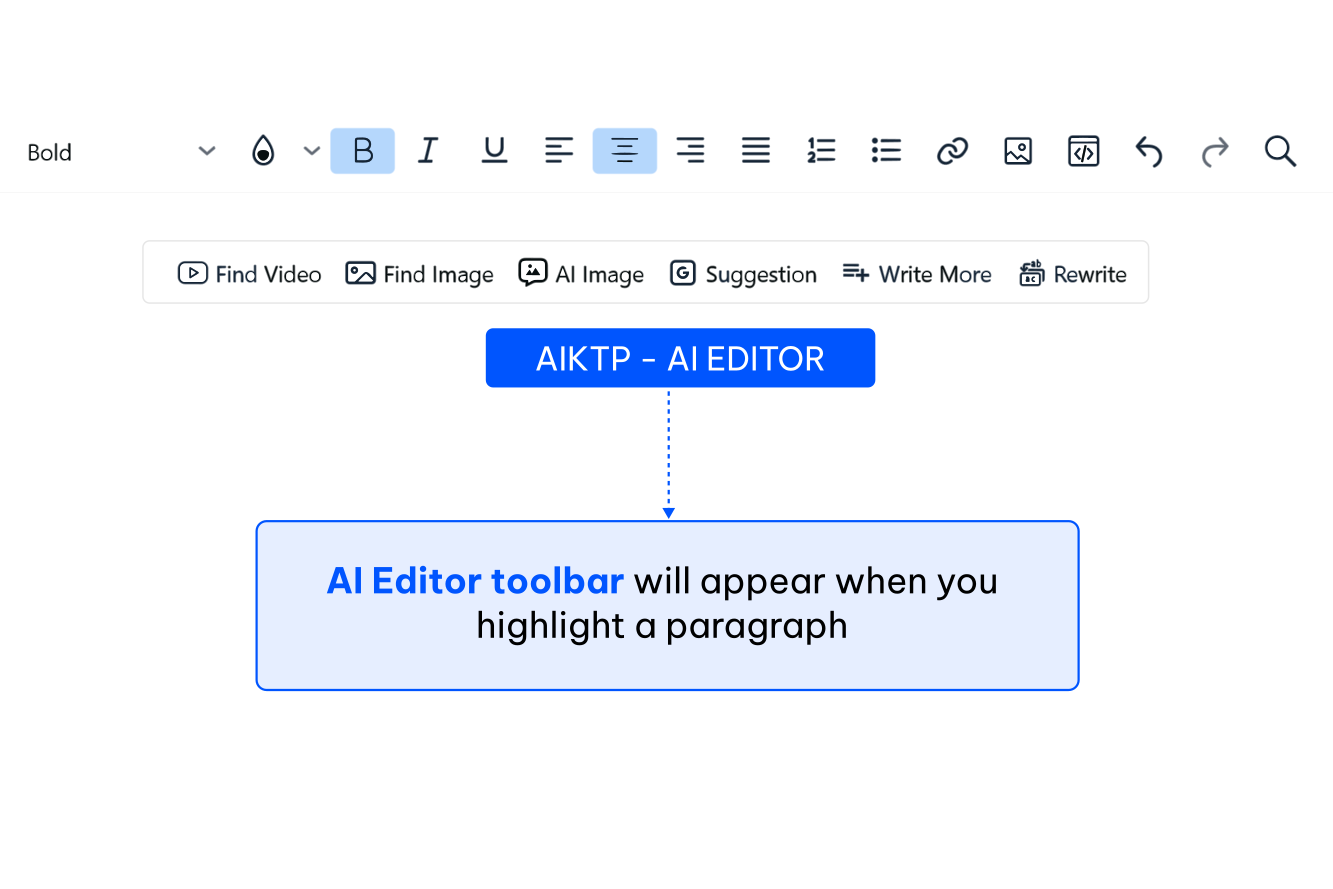
The provider’s toolbar illustration shows editing actions available around selected text.
An image finder does not settle image permissions
Finding a relevant picture and having permission to publish it are separate matters. Use screenshots you are entitled to share, customer-owned media or appropriately licensed assets. Keep a record of where each image came from.
Choose pictures that explain a step or support a comparison. A screenshot of the actual control is more helpful than several decorative images. Write alt text that describes what matters in the picture, and check that text remains readable on a phone. Do not put credentials, private drafts or customer details in screenshots.
AIKTP SEO score: useful checks, limited meaning
AIKTP includes an SEO score and a checklist covering on-page elements. It can help you spot an omitted title term, a missing description or a linking task during editing. It is best treated as a final inspection aid.
An SEO score is not a Google ranking score. A green indicator cannot establish factual accuracy, prove that a page is useful or show that its target query is realistic for your website. Adding the same phrase repeatedly to raise a score can also make the copy harder to read.
Check the page as a reader would: a clear title, descriptive headings, an early answer and internal links that lead to the next useful step. Link to an existing guide when it adds context, rather than attaching unrelated pages to satisfy a count.
Google’s guidance allows for useful applications of generative AI, while warning about producing pages at scale without adding value. The publishing decision should therefore depend on the finished article. If the draft adds no evidence, explanation or practical help beyond what is already available, revise it before publishing.
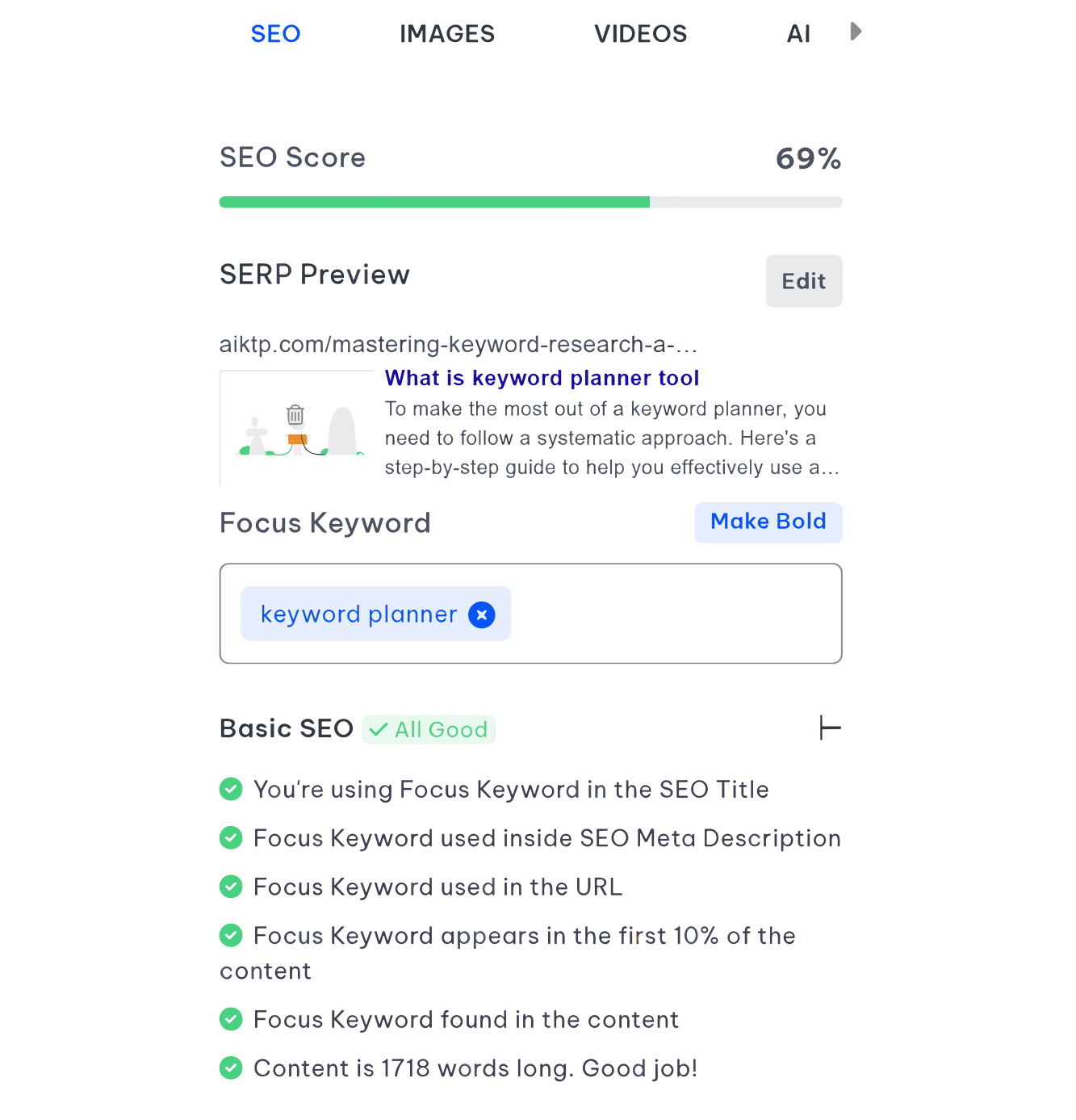
Provider illustration of the SEO checklist. The displayed percentage is an example, not a score for this review.
AIKTP pricing: budget for approved articles
The main pricing page listed the following monthly plans when checked on November 19, 2026. Annual billing is a separate choice, so compare the same billing period at checkout.
| Plan | Monthly price (USD) | Credits / month | AI SEO posts / month |
|---|---|---|---|
| Free | $0 | 5,000 | 0 |
| Starter | $9 | 180,000 | 60 |
| Grow | $19 | 450,000 | 150 |
| Pro | $29 | 900,000 | 300 |
| Corp | $49 | 1,800,000 | 600 |
Listed monthly prices checked November 19, 2026; confirm the billing period and limits at checkout.
The free tier’s credits do not imply an allowance of long-form SEO articles: the table lists zero AI SEO posts for that tier. Check which functions your account can actually use before relying on a trial.
Paid plans have both credit and post allowances. The selected writing model can change the number of post units consumed by a generation. Check the displayed charge, remaining balance and renewal date before starting a batch. Prices, allowances and feature access can change.
A realistic cost example
Suppose you pay $9 for a month and plan to publish 12 articles. That is $0.75 in subscription cost per planned article. If only nine drafts pass your editorial review, the subscription cost becomes $1 per approved article.
This is a budgeting example, not a test result. Editing time, replacement images, rejected drafts and any extra charges are separate. Track how many drafts you approve and how long revision takes; that tells you more than dividing the fee by the largest advertised allowance.
Start with a small set of representative briefs. If a simple guide needs minor corrections but a comparison needs a complete rewrite, those results should influence which tasks you give the tool and which plan you choose.
Can AIKTP publish directly to WordPress?
AIKTP documents website connections and publishing controls, but current availability needs a separate check. On November 19, 2026, WordPress.org states that the AIKTP plugin has been temporarily closed since November 9, 2026, pending a full review. The notice does not itself explain the underlying reason or establish that the web writing service has stopped operating.
For a new setup, confirm the current supported route with AIKTP before paying for direct publishing. Do not assume an older installation tutorial still reflects what you can download today. WordPress.com and a self-hosted WordPress installation can also have different connection requirements.
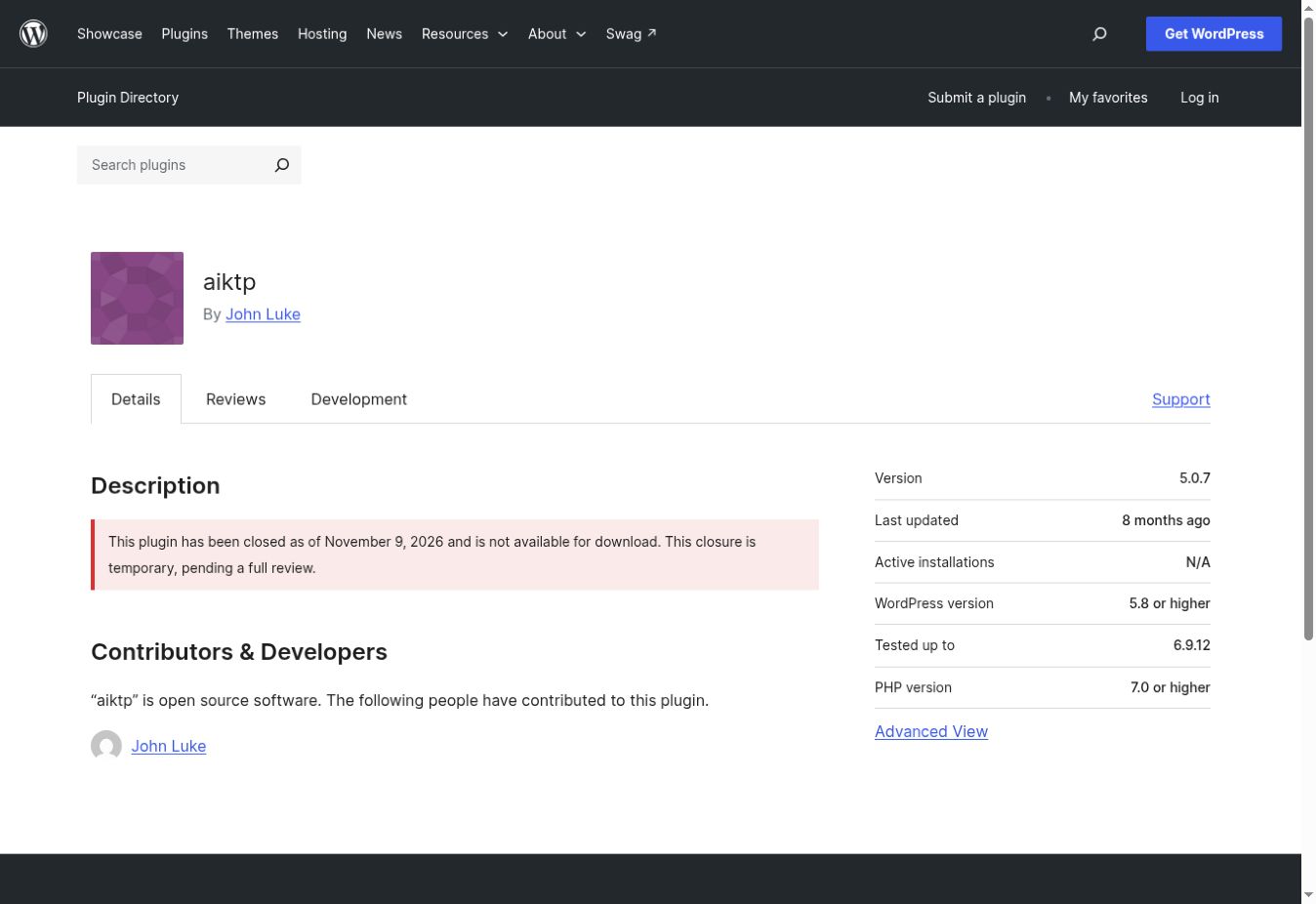
WordPress.org plugin status captured November 19, 2026: temporarily closed pending review.
Manual transfer is a straightforward option for an editorial workflow. Copy the approved content into a WordPress draft, upload the chosen images and check their alt text. Then set the category, featured image, title, description and slug in the appropriate fields.
Preview the saved draft on desktop and mobile. Check the heading hierarchy, tables, image crops and internal links, then publish when those details are correct. Keep publishing under editorial control while you evaluate a new tool or connection.
For more ideas on choosing a manageable first task, see AI automation tips for beginners.
Who should consider AIKTP?
AIKTP makes the most sense for a blogger who has a clear content plan, knows the subject and can review every draft. Outline control and batch preparation are useful when the topics have already been checked for overlap and purpose.
It is less compelling if you already draft quickly and most of your time goes into research, interviews or product testing. It is also a poor fit for an unattended publishing plan. Generating more text does not resolve a weak topic, missing evidence or a broken website.
If WordPress integration is essential to your decision, wait until you have confirmed a suitable current connection method. If drafting is the main requirement, evaluate the writing service against a small, realistic brief before choosing a larger plan.
Frequently asked questions
Is AIKTP free?
There is a free tier, but its published credit allowance and AI SEO post allowance are different. Check the account’s available functions before assuming it can generate a full batch of blog posts.
Can AIKTP content rank on Google?
A finished page may compete in search, but using AIKTP or reaching a particular checklist score does not guarantee a position. Judge the topic, evidence, usefulness and condition of the published page.
Can I use it without connecting my website?
You can evaluate the writing workflow separately from direct publishing and transfer approved copy into a WordPress draft manually. This keeps the editorial process usable while you confirm integration availability.
Should I publish a whole keyword list at once?
Review the topics for overlap first, then work in a batch small enough to edit properly. A list containing different phrasings of the same question may need one stronger guide instead of several similar posts.
Verdict: choose it for the drafts you can improve
AIKTP has a plausible place in a WordPress blogger’s toolkit when it helps turn a prepared brief into editable copy. The useful measure is approved articles per month and the time needed to finish them. Current plugin availability is a material consideration for anyone buying primarily for direct publishing.
Check the latest plans and account access through AIKTP, compare other AI copywriting tools, or browse the wider AIToolsBiz directory for tools that match your publishing workflow.
Product information checked November 19, 2026. Sources: AIKTP pricing · keyword form · outline form · editor documentation · WordPress.org listing · Google Search guidance