Starter is the lowest monthly ElevenLabs subscription with a commercial license for eligible voiceovers. Use Free to audition voices or make a timing track for a private edit. For a monetized YouTube video, a sponsor read or a paid client project, check your script length before you choose Starter or Creator.
The ElevenLabs Free vs Paid decision gets easier once you cost one real upload. A weekly tutorial with a short voice track can fit on Starter. A channel that also makes alternate reads, Shorts and dubbed versions will spend more credits from the same balance.
Affiliate disclosure. AIToolsBiz may earn a commission if you subscribe through the ElevenLabs link in this guide.
ElevenLabs product artwork from the AIToolsBiz tool listing.
On this page
Plans and prices · Commercial rights · Credit estimates · Voiceover workflow · YouTube rules · Common questions
ElevenLabs Free vs Paid at a glance
There are two numbers to put in your budget. The first is the monthly price after any introductory offer. The second is the credit allowance shared by all the ElevenLabs tools you use. If you create the narration, a sound effect and a dubbed version, each one draws from the same balance.
| Plan | Regular monthly price | Monthly credits | Best fit |
| Free | $0 | 10,000 | Voice tests and noncommercial uploads with attribution |
| Starter | $6 | 30,000 | Commercial voiceovers and Instant Voice Cloning |
| Creator | $22 | 121,000 | More narration and Professional Voice Cloning |
Standard monthly prices in USD before taxes. Checked November 16, 2026. ElevenLabs pricing
A sponsored 20-second Short can call for a commercial license even when its narration takes only a few hundred credits. Start with where the video will run and who it serves. Then count the scripts you expect to generate in the month.
What you can publish on YouTube
Free for tests and noncommercial uploads
Try Free on the part of the script that is hardest to read aloud. Paste the line with the product name, model number or figures. Put the take against your footage and see whether the line fits between cuts. ElevenLabs asks for attribution in the title of published noncommercial content made on Free, using either elevenlabs.io or 11.ai.
Paid plans for sponsored and monetized videos
The commercial license covers eligible audio generated during an active paid subscription, subject to ElevenLabs’ terms and the rights you have in the script and voice. It applies to eligible releases outside Beta Services. If a Free-plan take becomes part of a paid deliverable, generate that voiceover again during the paid subscription and replace the rehearsal audio in the final cut.
The commercial rights to eligible paid-period audio continue after a subscription ends. Save the date and the approved take with the project files. That gives you a record of the clip you delivered if you revisit the footage months later.
ElevenLabs publishing rules · What happens after cancellation
Estimate credits from your upload schedule
Copy the spoken lines into a character counter. Include spaces and punctuation. Camera notes, timestamps and visual cues stay in the editing script. At one credit per character for Eleven v3 on the website, a 5,000-character read costs 5,000 credits for its first generation.
First-pass credits = number of scripts × characters per script × credits per character. The estimates below add a 20% buffer for revisions. Track your first video to find the allowance that fits your work.
| Monthly schedule | Characters per script | Estimated credits | Plan that fits |
| Two private voice tests | 900 | 2,160 | Free |
| Four monetized tutorials | 5,000 | 24,000 | Starter |
| Four longer monetized tutorials | 6,500 | 31,200 | Creator |
Examples use Eleven v3 with the 20% buffer included. Eleven v3 credit cost
One weekly tutorial and three Shorts
Take a 5,000-character tutorial and cut three Shorts from the finished recording. If the Shorts reuse the main audio and each needs a fresh 210-character hook, the package needs 5,630 credits on the first pass. Four packages per month use 22,520 credits before revisions, or 27,024 credits with the same 20% buffer.
That leaves just under 3,000 credits on Starter. Three new endings per package, an alternate sponsor read or another full narration take can shrink that margin. Add each new spoken variation to the estimate before you promise that delivery schedule.
Use your actual publishing dates for this calculation. Five 5,000-character tutorials in a month use the full 30,000-credit Starter allowance once you include the same 20% buffer. If the fifth upload falls in that billing period, leave room for it before you generate sound effects or schedule a second read for a sponsor.
Planning a long video and several short cuts? See the Klap overview.
Build the voiceover around your edit
Audition one difficult passage
For a camera comparison, use the same 20 seconds to test a model name, a shutter speed and an ISO setting. Listen against the side-by-side clip. Keep the voice that makes the numbers intelligible and leaves time for viewers to read the settings on screen. Write down the voice and model so you can recreate that delivery.
Generate the script in short scenes
Break the script at scene changes or steps in the demonstration. A clip such as 02-export-settings.wav can be replaced without redoing a whole episode. When you update a line, include enough of the surrounding sentence for the new take to match the original pace and tone.
Check the credit amount on the generation button when you change the model or script. The website may offer free regenerations for a request with identical text and settings. A new version of the script can use credits, so finish the rough cut before you make the last pronunciation and timing changes.
For a product walkthrough, make a short pronunciation list before recording the full script. Include the company name, product names and any units you say more than once. Try them in a sentence at the intended pace. Share the spelling that produced the approved read so an editor can match it when a product name comes back in the outro.
Check the captions and hand off the files
Watch a rough cut with captions on. Pause the narration where a viewer needs time to find a menu item. A script can read “H two sixty-four” while the caption shows “H.264” as it appears in the export menu. Download the take you approved and keep the spoken script alongside it with the same scene names.
For cutting footage around spoken lines, explore the Gling video editor overview.
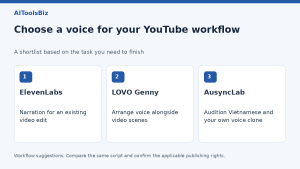
For replacing a line in a spoken recording, see the AusyncLab profile.
ElevenLabs Text to Speech guide
YouTube monetization and disclosure
YouTube reviews channels against its Partner Program policies. Repetitive or mass-produced uploads can be ineligible for monetization, including when you hold a commercial license for the voice track. Give the narration something specific to explain, such as the test footage you filmed or the before-and-after export from the tutorial.
YouTube lists cloning your own voice for narration as an example that can go unlabeled. Realistic simulations that depict a real person giving fabricated advice require disclosure. Use the AI use setting in YouTube Studio when your upload meets the disclosure criteria, and make sure you have the rights to use the voice.
YouTube monetization policies · YouTube AI disclosure guidance
Common questions from YouTube creators
How many finished minutes can Starter cover?
ElevenLabs lists about 30 minutes of generated speech on Starter. Your finished track depends on the script, selected model and revisions. If four finished minutes cost 5,600 credits to make, your edit uses about 1,400 credits per finished minute. At that rate, Starter covers roughly 21 minutes before you generate sound effects or use other tools on the same allowance.
Measure narration time on the audio track. A six-minute tutorial might have three minutes of speech if you leave space for a screen recording or a before-and-after demonstration. Use those three narrated minutes to estimate what similar videos will cost. Save the calculation beside the script so you can update it after the next upload.
How should I budget for another language?
Count the characters in a translated script if you plan to generate a fresh voiceover. Automatic Dubbing charges by source media duration with different rates for watermarked and watermark-free output. At the listed rate of 3,000 credits per minute for watermark-free Automatic Dubbing, two source minutes would take about 6,000 credits for one target language. Add subtitles to the plan if viewers will watch on mute.
For a subtitle-first workflow, read the TranslateMom tool listing.
Can I cut the voiceover in my video editor?
Yes. Open Text to Speech History and use the download control to save your generated clip as MP3 or WAV. Put the narration on its own track so you can set its level under music and move individual takes with the matching footage.
ElevenLabs download instructions · Text to Speech and Dubbing credit costs
Which ElevenLabs plan fits your next upload
Use Free for a voice audition and a timing cut. Start with Starter when your project requires commercial rights and your scripts, revisions and other tools fit within 30,000 credits. Consider Creator when your planned volume regularly exceeds that or you want Professional Voice Cloning for your own voice.
For a recurring client job, base the estimate on an approved brief that lists the main video, short versions and languages. Log the credits used for the first delivery. The next quote can then include a realistic allowance for rewrites and a second narrator take if the client wants that option.
Have a script ready? Check the current monthly options at ElevenLabs (affiliate link).
Still choosing a voice platform? Read ElevenLabs vs Murf AI.
For adjacent tools such as audio editors and dubbing apps, browse the AI audio tools collection on AIToolsBiz.